How to Sell Rare Coins on eBay UK is the ultimate way to turn your pocket change into a serious income stream. Many people hold onto unique 50p or £2 coins without realizing they could be worth hundreds of pounds. If you are a beginner and don’t know where to start, this 1500-word comprehensive guide will show you exactly how to sell rare coins on eBay UK from the very first click to the final payout.
Step 1: Setting Up Your eBay Seller Account
The first step in learning how to sell rare coins on eBay UK is having a professional setup. Without a properly configured account, you won’t receive payments.
- Visit the Website: Open your browser and go to eBay.co.uk.
- Registration: In the top left-hand corner, you will see a small link that says “Register”. Click it.
- Account Type: Choose “Personal Account” if you are just starting. Enter your first name, last name, email, and create a strong password.
- Verification: Check your email for a code from eBay. Enter that code on the screen to verify your identity.
- Linking Bank Account (The Most Important Part): Click on “My eBay” (top right) > “Summary” > “Account” tab > “Payments”. Here, click “Add payment option”. You must link a UK bank account so eBay can send you the money from your coin sales. eBay no longer uses PayPal for direct payouts; they use “Managed Payments.”
Step 2: Expert Research – Knowing Your Coin’s Worth
You cannot master how to sell rare coins on eBay UK if you don’t know the market value. A common mistake is looking at what people are asking for a coin, rather than what it actually sold for.
- Search Bar: In the main eBay search box, type the exact name of your coin. For example: “2009 Kew Gardens 50p”.
- Filter for Reality: On the left side of the screen (or under the “Filter” button on mobile), scroll down until you see the “Show only” section.
- Sold Items: Click the checkbox for “Sold Items”. This will refresh the page and show you prices in Green. These green numbers represent the actual cash people paid.
- Analyze Condition: Look at the coins that sold for the highest prices. Are they shiny (Uncirculated) or worn out (Circulated)? This tells you where to price your coin.
Step 3: Creating Your Professional Listing
Now, let’s get into the technical part of how to sell rare coins on eBay UK.
- Start Selling: At the very top right of the eBay homepage, click the “Sell” button. Then, click the blue “List an item” button.
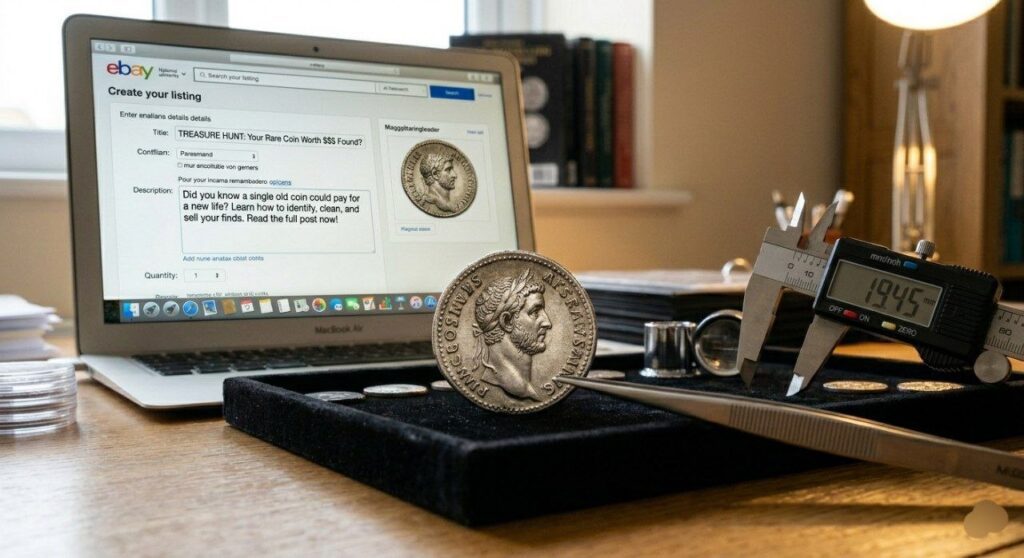
- The Title (SEO Optimized): eBay will ask “Tell us what you’re selling.” Type: How to sell rare coins on eBay UK: [Your Coin Name]. For example: “How to sell rare coins on eBay UK: Rare 2011 Olympic Football 50p Coin.” Using a descriptive title helps buyers find your item.
- Photos (The Visual Hook): Click the “Add Photos” plus icon.
- Tip: Place your coin on a plain white background near a window for natural light.
- Take a clear photo of the Obverse (Head), the Reverse (Tail), and the Edge (to show thickness/writing). Use the “Crop” tool inside eBay to center the coin.
- Item Specifics (Crucial for Filters): Scroll down to “Item Specifics.” eBay will have drop-down menus.
- Year: Select the minting year.
- Denomination: Select 50p, £2, etc.
- Era: Select “Elizabeth II” or the relevant monarch.
- Filling these out ensures that when a buyer filters by “Year,” your coin actually shows up.
Step 4: Writing a High-Conversion Description
To truly understand how to sell rare coins on eBay UK, your description must build trust. A buyer cannot touch the coin, so your words must act as their eyes.
- Header: Start with: “Thank you for viewing my listing on how to sell rare coins on eBay UK.”
- Condition: Be honest. If it has a scratch, say so. Use terms like “Circulated” (used) or “UNC” (uncirculated/new).
- Internal Link: For more tips on identifying your coins before listing, check out our [How to Sell Coins Category ].
- Shipping Promise: Mention that the coin will be sent securely.
Step 5: Pricing Strategy (Auction vs. Fixed Price)
This is the “Make or Break” moment in how to sell rare coins on eBay UK.
- Auction Format: Click the “Format” tab and select “Auction”.
- Why? If you have a very rare coin like the Kew Gardens 50p, a 7-day auction starting at £0.99 creates a “bidding war” which often results in a higher price than a fixed listing.
- Buy It Now (Fixed Price): Select “Buy It Now” if you know exactly what you want (e.g., £15.00).
- Tip: Turn on “Allow Offers”. This lets buyers negotiate, which speeds up the sale.
Step 6: Postage and Secure Packaging
When learning how to sell rare coins on eBay UK, shipping is where most people fail. Coins are small and can get lost or stolen.
- Select Service: Under the “Delivery” section, click “See all services”.
- Tracked Shipping: Always choose “Royal Mail 1st Class Signed For” or “Special Delivery” for coins over £50. This protects you if the buyer claims they didn’t receive it.
- Packaging: Do not just put a coin in a paper envelope. It will tear through the sorting machines.
- Place the coin in a small plastic bag or “Coin Flip.”
- Tape that bag to a piece of thick cardboard.
- Place the cardboard inside a Padded Bubble Envelope.
Step 7: Finalizing and Getting Paid
- Review: Scroll to the bottom and click “List it with displayed fees”. (Note: eBay usually takes about 12.8% + 30p per sale).
- Wait for Sale: Once the coin sells, you will get a notification on your phone or email.
- Shipping the Item: Go to “My eBay” > “Selling” > “Orders”. Click “Print Postage Label”. This is cheaper than buying it at the Post Office.
- Payout: Once you upload the tracking number, eBay will process the payment. The money will hit your linked bank account within 1-3 business days.
Mastering how to sell rare coins on eBay UK takes patience and attention to detail. By following this exact step-by-step guide, even a complete beginner can successfully list their first coin and start making a profit. For more advanced strategies on high-value coins, visit our [How to Sell Coins Category ].
Start hunting through your change today—now that you know how to sell rare coins on eBay UK, your next find could be worth a fortune!